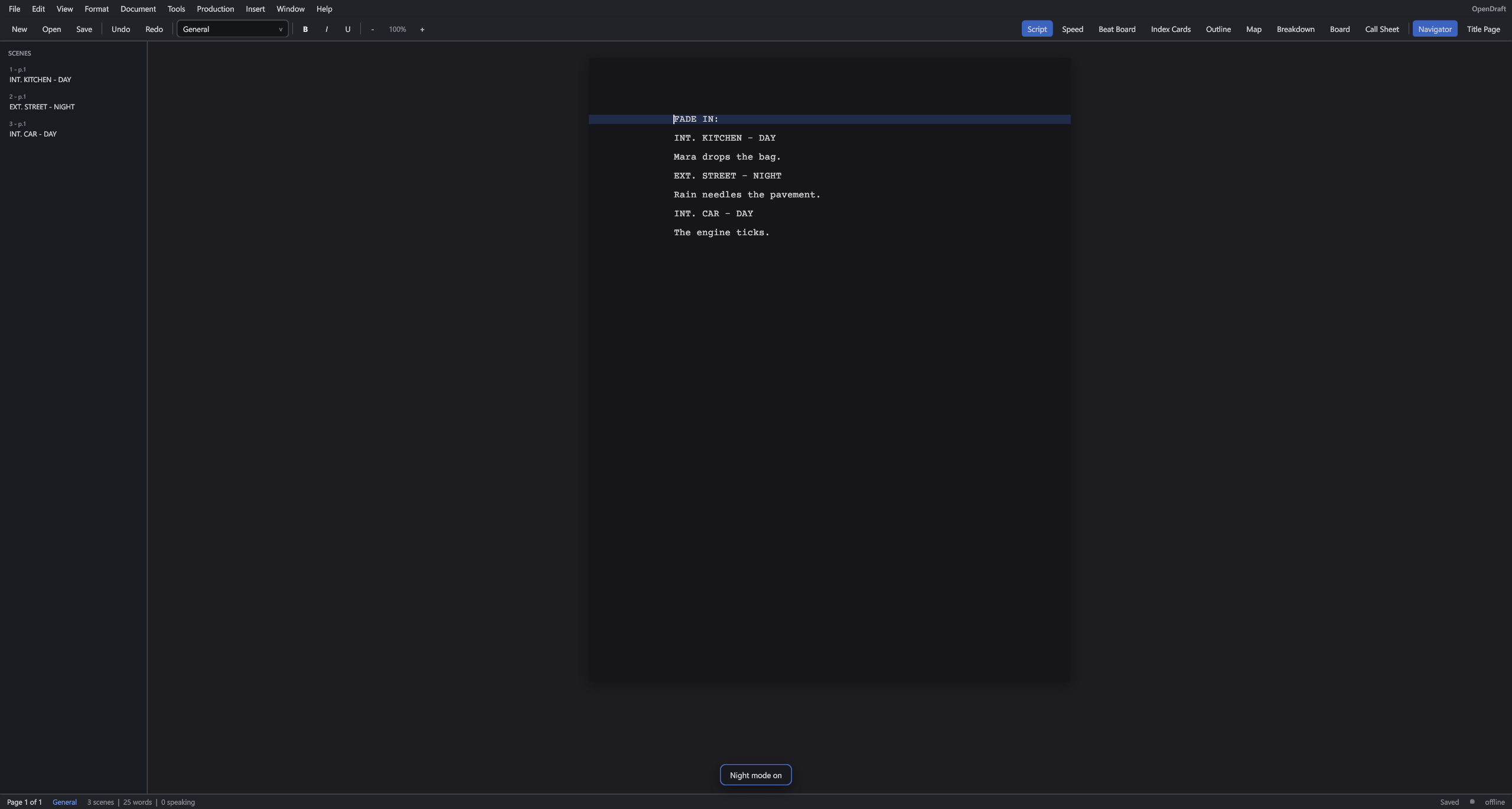
Page & Speed views
Printed 8.5×11, or a continuous speed view with the chrome off. Night mode when the coffee’s gone.
FADE IN:
ScriptToShoot is a free Final Draft–style editor with the rest of the job attached: beat board, index cards, outline, breakdown, stripboard, revisions, and call sheets. Windows is ready. Mac is next. No subscription, no dongle.
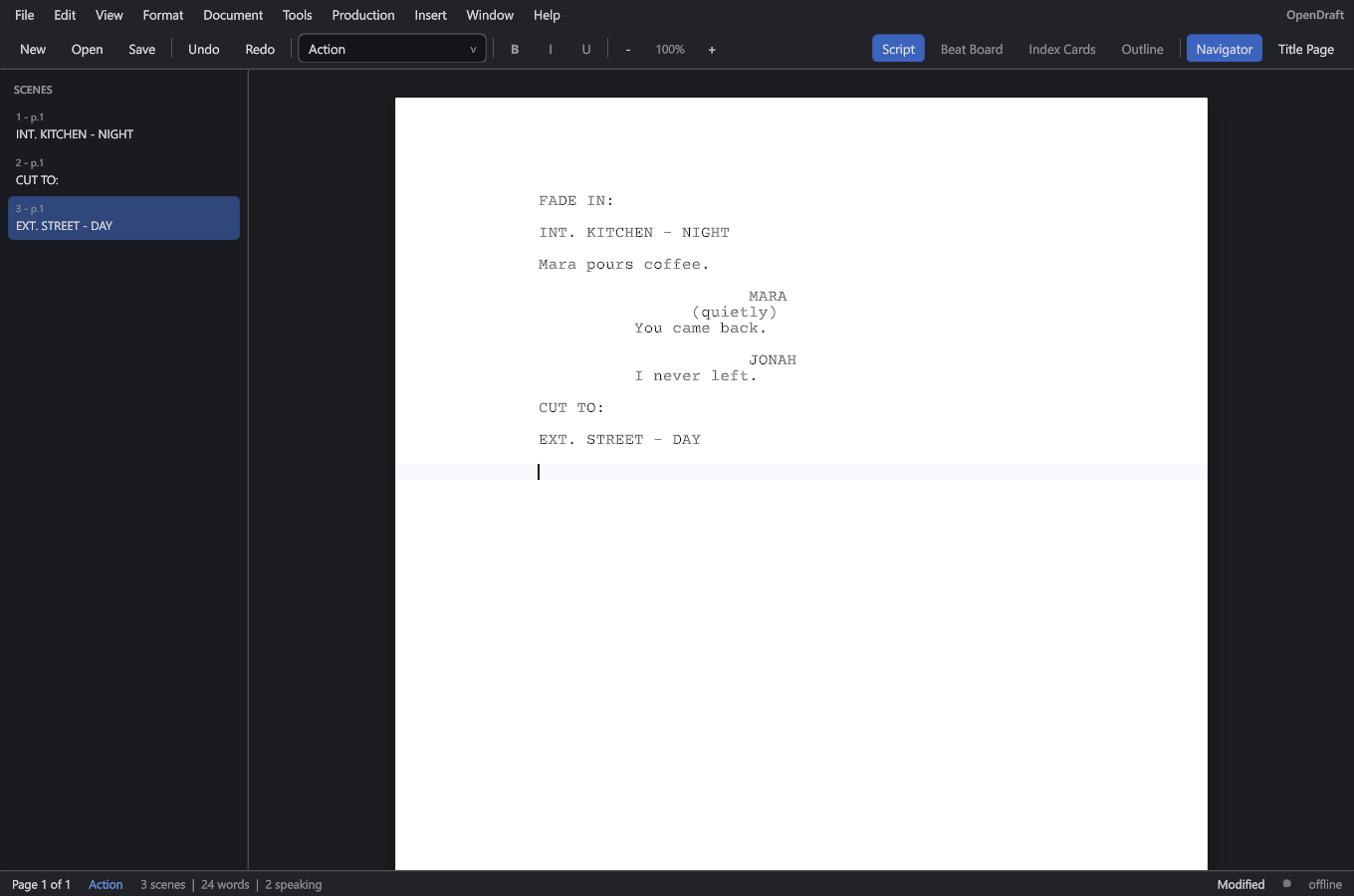
Enter and Tab move you through Scene Heading, Action, Character, Dialogue. INT. and EXT. become sluglines. CUT TO: becomes a transition. Courier 12, (MORE)/(CONT’D), dual dialogue, PDF and Final Draft .fdx in and out.
Printed 8.5×11, or a continuous speed view with the chrome off. Night mode when the coffee’s gone.
Character names, locations, and times suggest themselves as you type. The English dictionary lives in the app.
Fountain, PDF, Final Draft .fdx, Word/Docs paste that lands on the right elements. Host on your LAN for the phone or the other laptop.
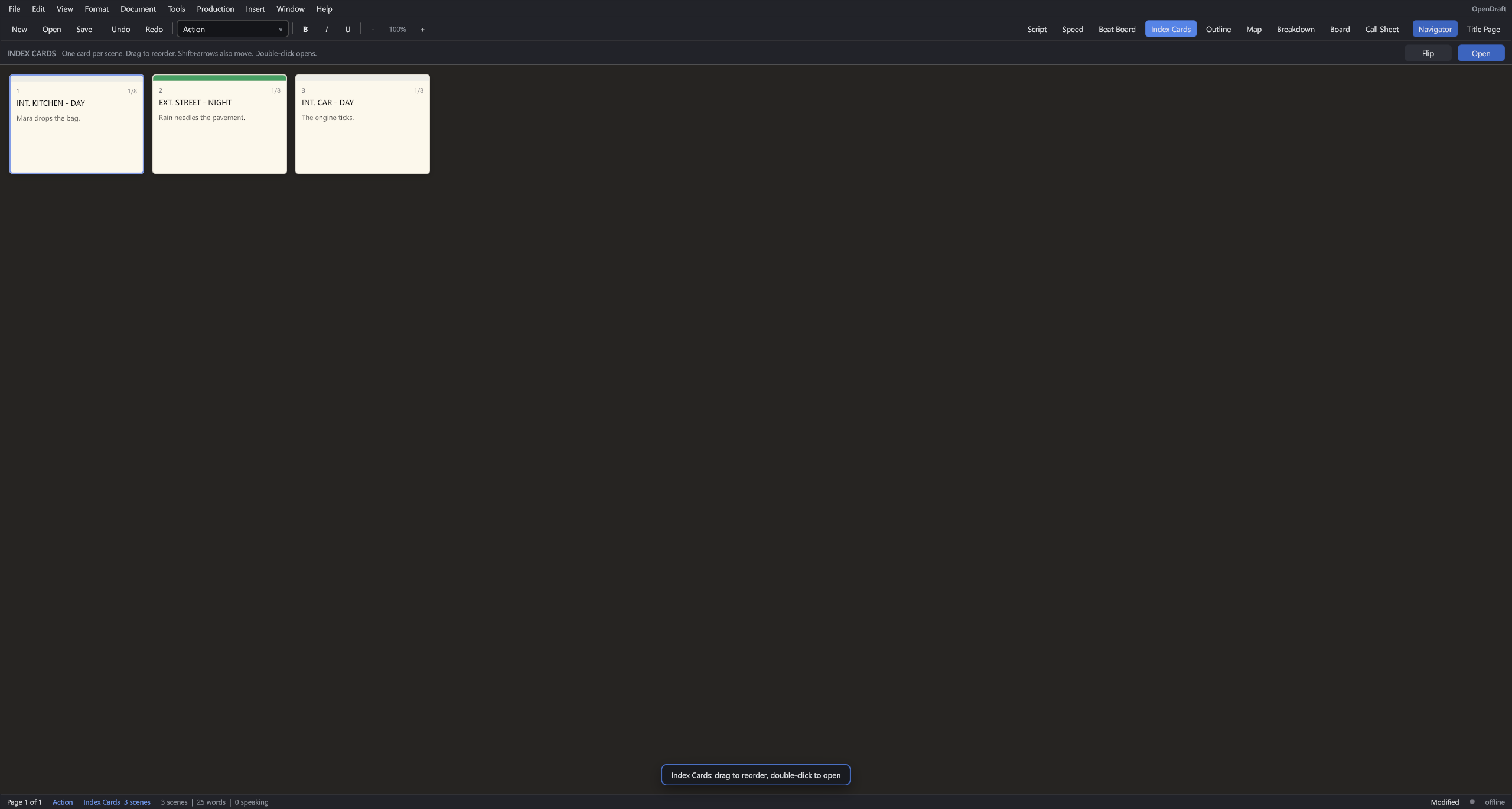
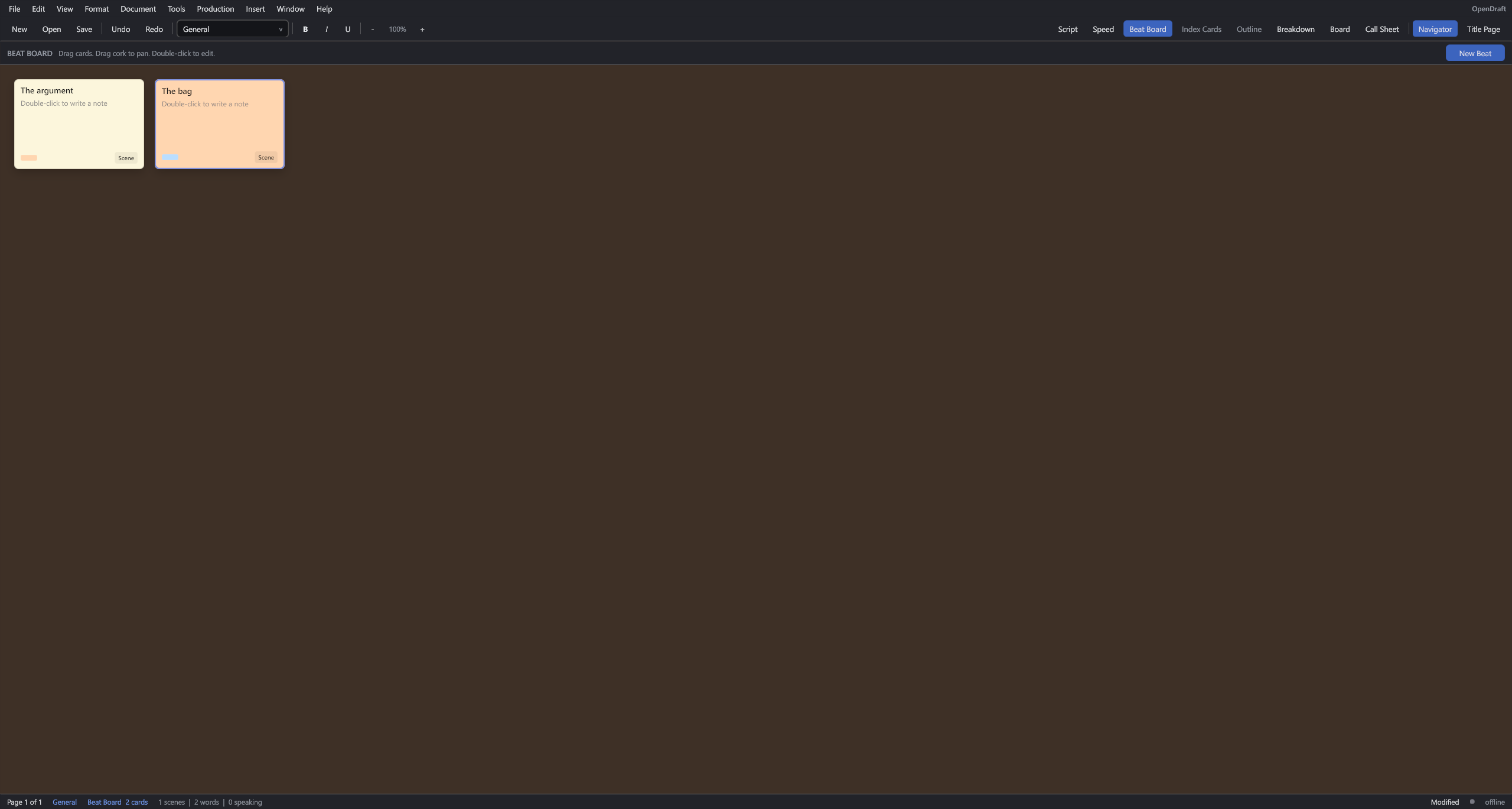
Beat Board for story before it’s scenes. Index Cards, Outline, and Story Map are the same document, laid out so you can drag a scene and the pages move with it. Right-click to add a card.
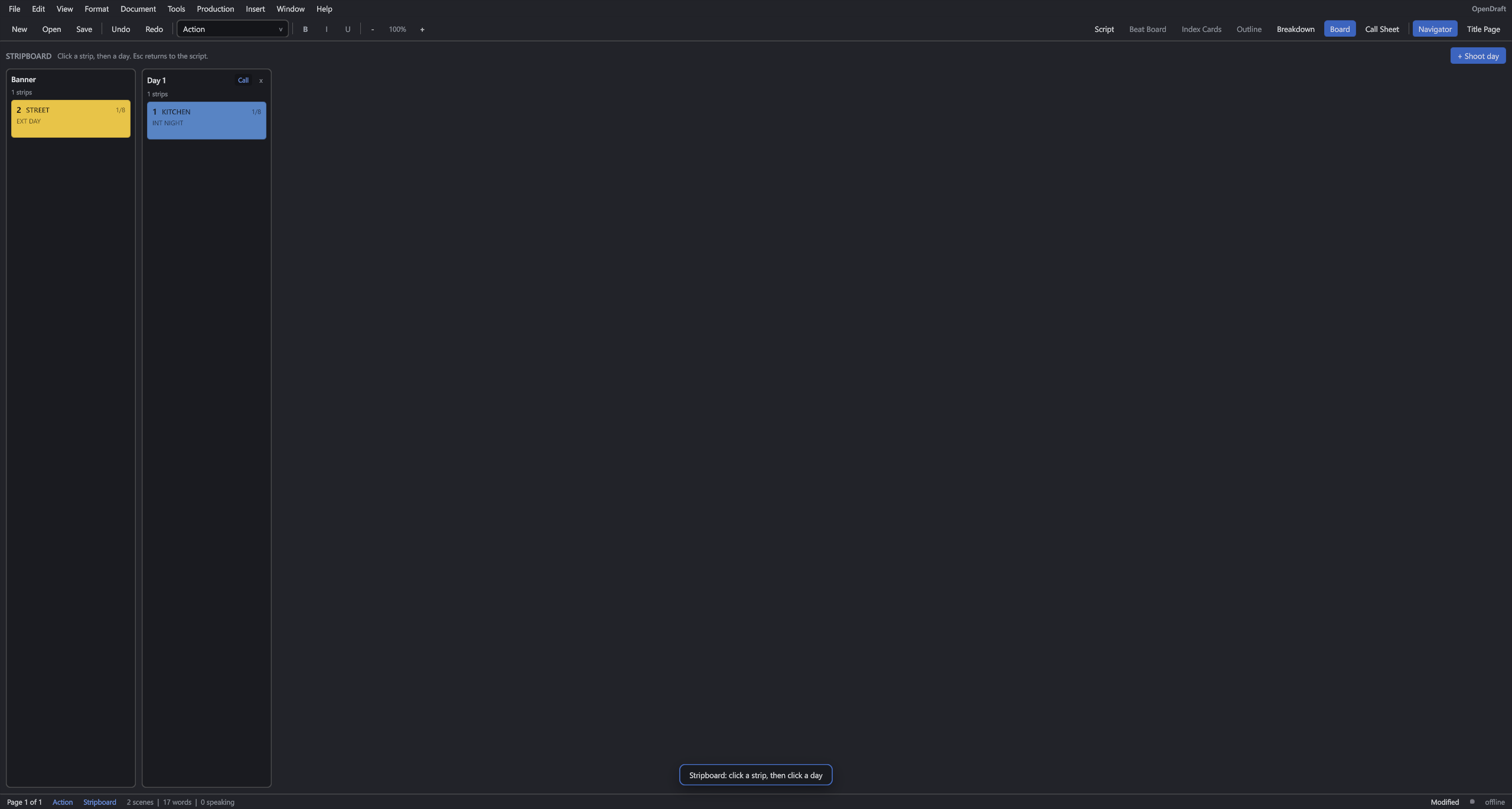
Tag cast, extras, props, wardrobe. Board the days. Print a call sheet. Lock pages, omit scenes, run revision colors with asterisks. This is the AD half, not a separate program.
ScriptToShoot is built by Studio Z3D. Donations go to info@studioz3d.com on PayPal and pay for the time to finish Mac, collaboration, and the next polish pass. Any amount helps. Recurring is welcome if PayPal offers it on your side.
PayPal opens in a new tab. If the hosted donate page asks you to log in, the amount buttons use the classic Donate to email flow.
Made with Kaigen. When ScriptToShoot runs, the Kaigen engine sends limited technical data to Kaigen (16456383 Canada Inc.) to validate the engine license and improve the engine: a random session id, the app name and version, device OS / CPU / memory / GPU / display, and approximate country. A crash may send a technical report and a log tail. Scripts you write are not sent to Kaigen. Full policy: kaigen3d.com/privacy. In the app: Help → Privacy notice.